
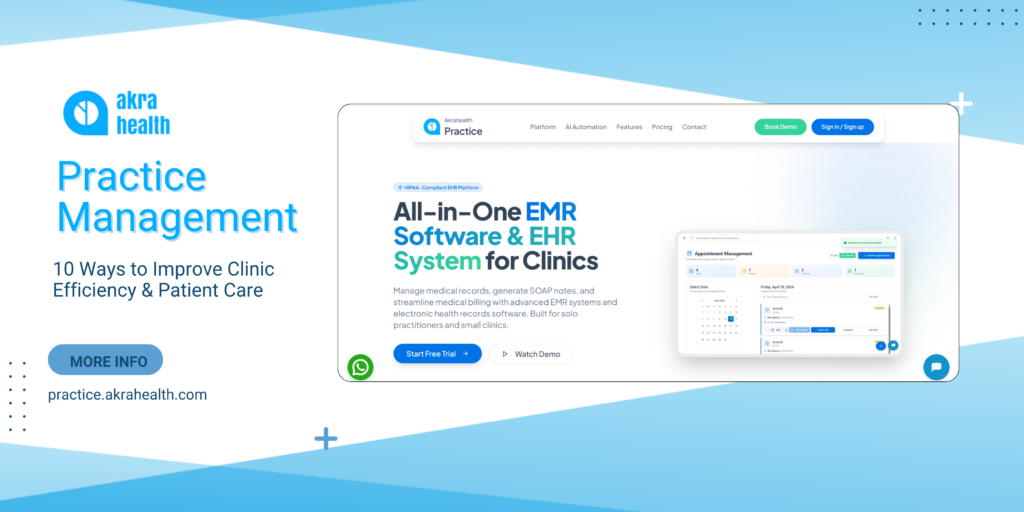
Practice Management: 10 Ways to Improve Clinic Efficiency and Patient Care
Running a modern medical practice involves much more than treating patients. Clinics need to coordinate doctor appointments, maintain accurate medical records, manage daily schedules, document visits, communicate with patients, and keep administrative processes moving smoothly.
This is where practice management becomes important. A well-organized workflow can help healthcare providers manage day-to-day operations while giving clinical teams more time to focus on patient care.
With digital healthcare technology becoming increasingly common, practices can bring scheduling, documentation, electronic health records, billing, and other operational activities into connected workflows.
Here are 10 ways better management systems can help improve clinic efficiency.
1. Simplify Doctor Appointments
Appointment scheduling is one of the most important parts of running a medical practice.
Manual scheduling can create unnecessary back-and-forth between patients and staff. A digital scheduling system can provide a centralized view of available time slots, upcoming appointments, cancellations, and rescheduling.
Automated reminders can also help patients remember upcoming visits and reduce avoidable scheduling issues.
A more organized appointment process means both patients and providers can have better visibility into the day’s schedule.
2. Keep Medical Records Organized
Medical records contain important information about a patient’s healthcare journey.
When records are stored across paper files or disconnected systems, finding the right information can take time. Digital systems allow authorized users to access relevant patient information from a centralized location.
Depending on the system, providers may be able to review:
- Patient history
- Diagnoses
- Visit notes
- Reports
- Prescriptions
- Previous consultations
This can make information easier to find during a medical visit.
3. Make SOAP Notes More Efficient
Clinical documentation is an essential part of healthcare.
SOAP notes provide a structured way to document patient encounters using four main components: Subjective, Objective, Assessment, and Plan.
Digital documentation tools can make it easier for providers to create, organize, review, and update SOAP notes.
When documentation is connected with the patient’s record, providers don’t have to rely on separate documents or manually search through multiple systems.
4. Improve Access to Electronic Health Records
An electronic health record system can bring patient information into a centralized digital environment.
Instead of maintaining separate paper files, healthcare providers can use digital records to manage patient information throughout their care journey.
A connected system can also make it easier for authorized providers to review previous medical visits before seeing a patient.
This can support better continuity of information while reducing unnecessary administrative work.
5. Reduce Administrative Work
Healthcare teams spend time on many repetitive tasks beyond direct patient care.
These can include:
- Entering patient information
- Managing appointments
- Updating records
- Preparing reports
- Processing invoices
- Following up on appointments
Digital automation can reduce some of these repetitive activities.
The goal isn’t to remove people from the workflow. Instead, technology can handle routine processes so staff can spend more time on tasks that require human attention.
6. Give Patients Better Access to Their Healthcare Information
Patients increasingly expect convenient digital access to healthcare services.
Depending on the platform, patients may be able to access information related to appointments, communications, or their healthcare records through a digital interface.
A more connected patient experience can make it easier for people to stay informed about upcoming visits and interact with their healthcare provider.
7. Connect Different Healthcare Workflows
One of the biggest advantages of modern healthcare platforms is the ability to connect different workflows.
For example:
Appointment → Patient Visit → SOAP Notes → Medical Record → Prescription → Billing → Reporting
When these processes operate within connected systems, providers don’t have to repeatedly enter the same information into multiple platforms.
This can reduce duplication and create a smoother workflow for the entire practice.
8. Improve Visibility Into Medical Visits
Healthcare providers need to understand how their practice is operating.
A digital dashboard can provide insights into appointment activity, patient visits, provider schedules, and other operational metrics.
Instead of manually compiling information from different sources, practice managers can use centralized reporting to identify patterns and make better operational decisions.
For example, a clinic may discover that certain appointment slots have higher demand or that cancellations are concentrated around particular times.
These insights can help practices make more informed scheduling decisions.
9. Support Better Patient Communication
Communication doesn’t end when a patient leaves the clinic.
Patients may need appointment reminders, follow-up information, prescription details, or other communications.
Digital healthcare platforms can help organize these interactions within the broader patient workflow.
When communication tools are connected with appointments and patient information, providers can create a more consistent experience without relying entirely on manual follow-ups.
10. Create a More Scalable Clinic Workflow
A workflow that works for a small practice may become difficult to manage as the number of providers and patients increases.
Scalable healthcare technology can help practices manage growing volumes of appointments, records, and administrative activity without relying entirely on spreadsheets or disconnected tools.
This is particularly important for multi-provider clinics where different professionals need access to the same operational information.
What Should You Look for in a Practice Management System?
Not every healthcare organization has the same requirements.
Before selecting a platform, consider whether it supports the workflows your practice actually needs.
Appointment Management
Look for flexible scheduling, reminders, rescheduling, and calendar management.
Electronic Records
The system should make it easy for authorized providers to manage and retrieve patient information.
Clinical Documentation
Features for structured documentation and SOAP notes can help simplify clinical workflows.
Patient Communication
Consider whether the platform provides tools for keeping patients informed about appointments and care.
Billing and Invoicing
Connecting financial workflows with patient and appointment information can reduce duplicate administrative work.
Reporting and Analytics
Dashboards can help practice managers understand operational performance and identify areas for improvement.
How AkraHealth Supports Modern Practice Workflows
AkraHealth brings several healthcare workflows together in one digital ecosystem.
Its platform supports areas such as electronic medical records, smart appointment scheduling, telehealth consultations, e-prescriptions, billing and invoicing, and analytics dashboards.
For a healthcare practice, this means important workflows don’t have to operate as completely separate processes.
For example, a provider can manage an appointment, document the patient encounter, maintain the medical record, send an e-prescription, and manage billing within a connected healthcare workflow.
The objective is not simply to digitize individual tasks. It is to create a more connected environment where administrative and clinical processes work together.
Frequently Asked Questions
What is practice management in healthcare?
It refers to the processes and tools used to manage the administrative and operational activities of a healthcare practice, including scheduling, patient information, billing, reporting, and workflow coordination.
Why is practice management important?
Effective management can help healthcare organizations organize daily operations, reduce repetitive administrative work, improve scheduling, and create a smoother experience for providers and patients.
What is an EMR system?
An EMR system is a digital system used by healthcare providers to create, store, and manage patient medical information within a clinical practice.
How can technology improve medical visits?
Connected digital tools can give providers faster access to patient information, simplify documentation, improve scheduling, and reduce repetitive administrative tasks surrounding a visit.
What is the difference between an EMR and an electronic health record system?
The terms are sometimes used interchangeably, but an EMR generally refers to digital records maintained within a specific practice, while an electronic health record is designed to support a broader view of a patient’s health information across healthcare settings.
Conclusion
Efficient healthcare operations depend on more than good clinical care. Practices also need organized scheduling, accessible medical records, efficient documentation, patient communication, and reliable administrative workflows.
Modern digital solutions can connect these activities and reduce the amount of repetitive work required to keep a practice running.
With the right technology, healthcare providers can spend less time navigating disconnected processes and more time focusing on what matters most: delivering quality patient care.